Language: EN
Start free

Etsy listing photos, styled without a studio.

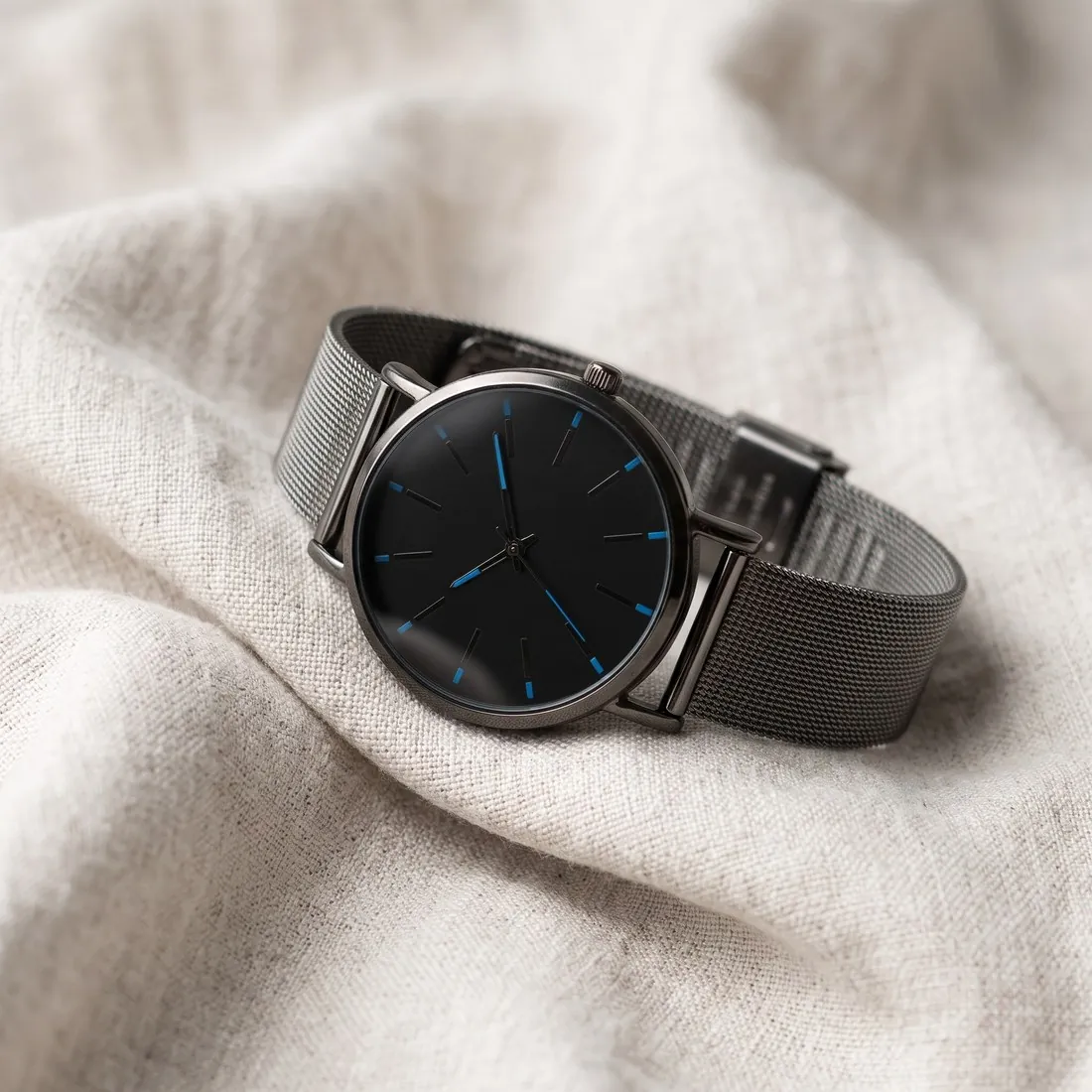
Etsy recommends large images and a first photo that is square or landscape, with enough border for its thumbnails to crop. Herofab's product studio takes a photo shot on any surface and places the product in a styled scene, on marble, wood or linen or in a home setting, with the angle and the shadow the seller chooses.

The mesh-strap watch with a black dial resting on soft white linen · Product studio
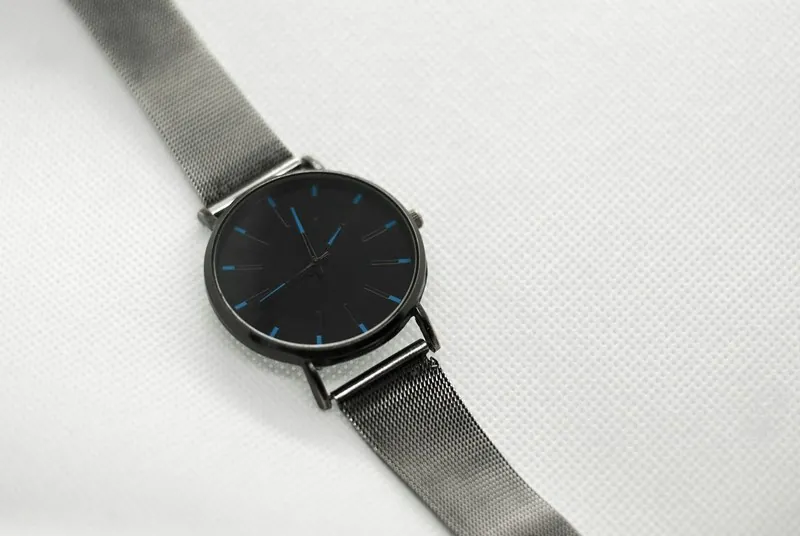
Source photo: Plain product photo. Made with Herofab · Product studio
Worth knowing

What Etsy's image guidance asks of a listing.

  1. 1

    The first photo and search

    Etsy recommends a minimum width and height for the first photo, noting that a smaller one may show up lower in search, and a square or landscape shape. For Etsy, Herofab delivers a square in the size Etsy recommends, which is above that size. Give the first slot to the image in which the product is clearest, on a calm ground.

  2. 2

    Room for three thumbnail crops

    Etsy asks sellers to leave enough border that a thumbnail can be cropped to square, portrait and landscape without losing the product. A styled scene helps here, because the product stands on its ground with space around it. Tall pieces deserve a second look: test a long necklace or a slim bottle against the landscape crop.

  3. 3

    Large images, manageable files

    Etsy recommends a generous width and height so a listing photo holds its detail, and adds that heavy files may not finish uploading on a slow connection. The Etsy size chosen at download meets the recommendation. If an upload stalls, the weight of the file is the first thing to look at, and the free Etsy checker reads it in the browser.

In marketplace rules

What Etsy asks for.

Source: Etsy Help — Requirements and best practices for images. Checked 10 October 2026.

Recommended
A width and height of at least 2,000 pixels
First photo
At least 635 pixels wide and high, or it may show up lower in search; square or landscape
File size
Files over 1 MB may not finish uploading on a slow connection
Thumbnails
Recommended: leave enough border to crop to square, portrait and landscape without losing the product
Formats
JPG, GIF, PNG, SVG or HEIC; these are the only image file types supported
Transparency
Animated GIF and transparent PNG files are not supported; transparent parts of an image appear black
Colour
Images are converted to the sRGB colour profile; recommended: convert to sRGB before uploading if the colours appear wrong
Consistency
The first listing photo dictates the shape of the photos that follow
Orientation
Among its thumbnail recommendations, the same page advises avoiding square crops and uploading landscape images
Source photo

A photo of the piece before the scene is chosen.

  • Photograph the product from the angle the first photo should show, with a clear margin all round, so that the scene leaves border for square, portrait and landscape thumbnails.
  • On a handmade piece, bring the texture into focus, the weave, the glaze or the hammered metal; the scene changes around the product while its surface comes from this photo.
  • Add a detail close-up of a small part such as a clasp, a maker's stamp or a stitched label, because small marks are the first details to compare afterwards.

Black backgrounds, mismatched shapes and stalled uploads

A transparent PNG is the trap most specific to this marketplace: transparency is not supported, and the clear areas of an image appear black, so a cut-out that looks clean in an editor can arrive on a black ground. Animated GIFs are not supported either, and the accepted types form a short list, HEIC from phones among them.

The first photo also sets the shape of every photo after it, so a square first image makes the gallery square and a landscape one makes it landscape. Among its thumbnail advice, the help page suggests avoiding square crops in favour of landscape images. Colours are converted to sRGB on upload, which can shift files saved in a wider profile.

White grounds instead of transparency, landscape where it fits

Remove background can deliver a transparent PNG, which is the result to avoid here; its white or light grey result, or the download for this marketplace, which flattens any transparency onto white, keeps the ground light. The product studio's scenes on marble, wood or linen and its home settings carry no transparency at all.

For a landscape gallery, the product studio and Virtual try-on offer a sixteen-by-nine format when an image is ordered, and Extend frame turns an approved square or portrait image into that wider shape by continuing the scene rather than cropping. Whichever shape the first photo takes, ordering every later image in it keeps the gallery even.

Square download or landscape original, decided per shop

The download for this marketplace writes a square at the recommended size, padded rather than cropped and saved as JPEG, which suits a square gallery. A landscape gallery is better served by the delivered original or its JPG download, since padding a wide scene into a square adds plain bands above and below it.

JPEG files are lighter than the PNG original, which helps where an upload over a slow connection risks stalling. The free resizer for this marketplace fits photos from elsewhere into the square in the browser, and the free checker tests the minimum size, the format and the margin left for thumbnail crops.

Questions

Product photos for Etsy, answered.

Should the first Etsy photo be a scene or a plain ground?

What Etsy recommends for the first photo is a minimum size and a square or landscape shape, with border for its thumbnail crops. Within that, the product studio offers a plain studio ground, light or dark, or a scene such as marble, wood, concrete, a pedestal, a kitchen or outdoors, all from one source photo. Whichever comes first, keep the product central.

Can the image be saved in the size Etsy recommends?

Yes. Among the marketplace sizes offered at download, the Etsy option produces a square file with the width and height Etsy recommends, drawn from the delivered image without cropping the product. A shop that also sells on other channels can download the same delivered image again in those channels' sizes.

Does a handmade piece look different once it sits in a scene?

It is briefed not to: shape, colours, materials, logos and printed text stay as in the photo, and only the scene and the light around the product change. Handmade pieces vary from one to the next, so compare the image with the very item that was photographed, starting with small text on labels and then the colour in daylight.

Why does a transparent PNG show a black background on this marketplace?

Transparent PNG files are not supported, and the help page says their transparent parts appear black. A cut-out is therefore uploaded on white or light grey, either as Remove background's white result or through the download for this marketplace, which flattens transparency onto white.

Should the first listing photo be square or landscape?

Either is accepted, and the first photo then sets the shape of the rest. The thumbnail advice on the help page leans towards landscape images and away from square crops; the square download fits a square gallery, while a landscape gallery uses the delivered original in a wide format.

How much does it cost?

4 credits per image, plus one credit for 4K. In US dollars that is $0.16 to $0.48 per image before tax, from the largest plan to the smallest credit pack. The cost is shown before you generate, and if a job fails the credits are returned. The 20 free credits at sign-up cover 5 images with this tool.

Examples by product
Get started

Your next collection, shot this week.

20 credits at sign-up, no card required. Images made with free credits carry a watermark. Herofab also removes the watermark from those images once credits are purchased.