Language: EN
Start free

Three pictures per product, two of them from one photo.

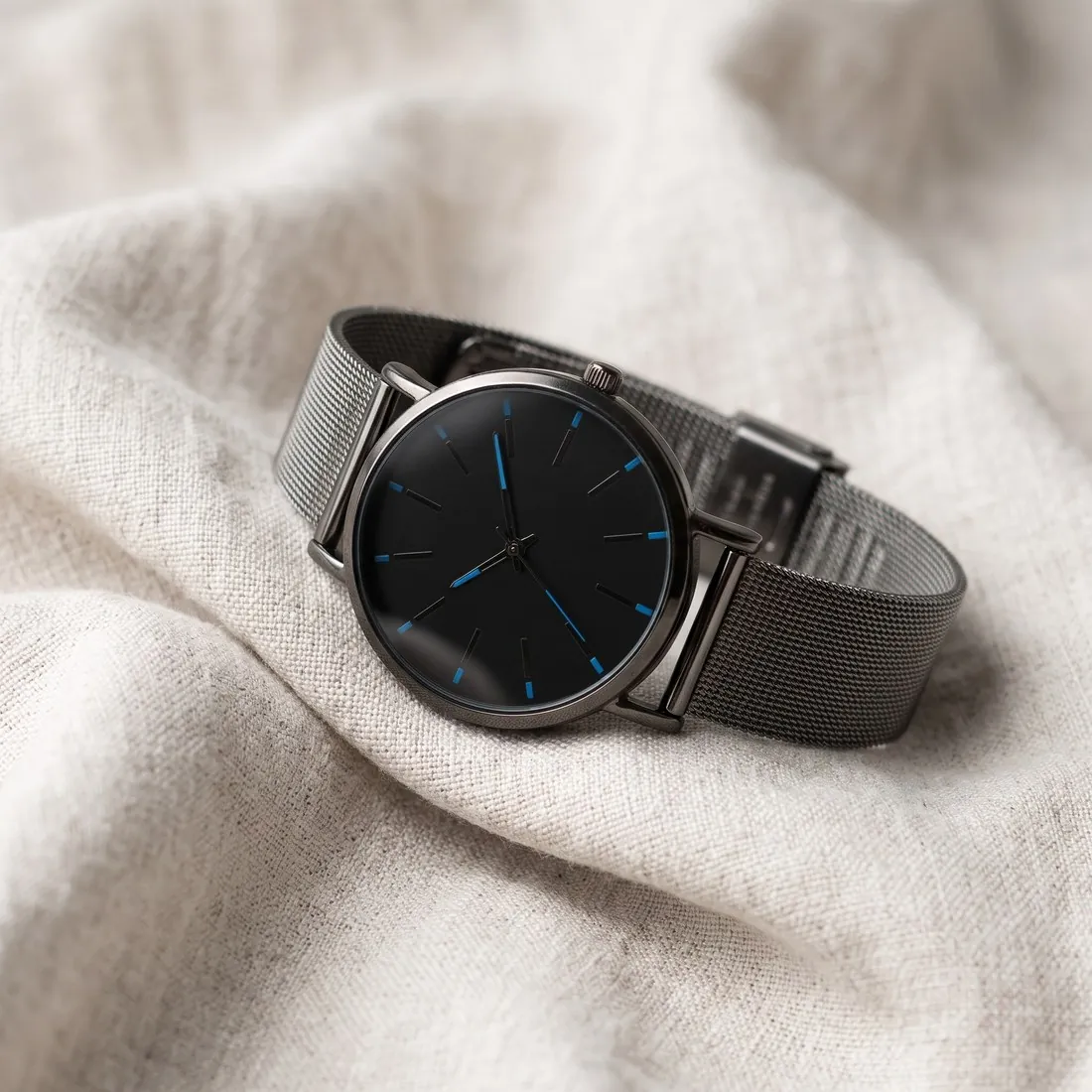
Orderchamp asks for at least three pictures per product: one on a neutral background, a mood picture and one of the packaging. Herofab's product studio makes the mood picture, on marble, wood or linen or in a home setting, and the packshot studio the neutral one on white. The packaging picture is a photo the brand takes itself.

The mesh-strap watch with a black dial resting on soft white linen · Product studio
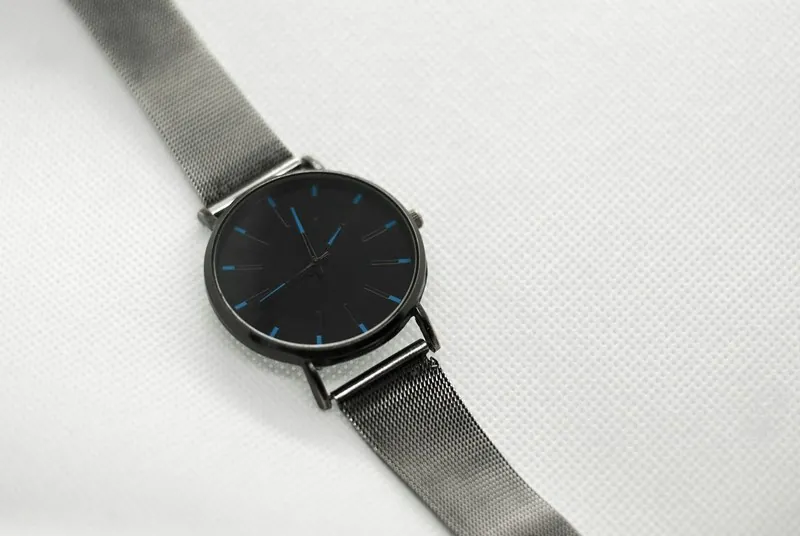
Source photo: Plain product photo. Made with Herofab · Product studio
Worth knowing

Who makes each Orderchamp picture.

  1. 1

    The mood picture

    The product studio sets the product on marble, wood or linen, on a podium, outdoors or in a home setting. Orderchamp wants the product centred and shot from the customer's perspective, so choose the front or three-quarter angle and keep it in the middle of the scene. Shape, colours and logos are briefed to stay as photographed.

  2. 2

    The neutral background picture

    Orderchamp advises a white and plain background for product photos, to highlight the product's details, and similar backgrounds on all products so the storefront has a uniform look. The packshot studio in Herofab shows the product by itself on a white studio ground. Repeated for each product, it gives the range one background.

  3. 3

    The packaging picture is the brand's own

    The third picture is the brand's own photograph: Herofab flags a product still in its packaging before a credit is spent. Beauty and health products always need a picture of the ingredients, and food and beverage products one of the packaging and the ingredients. Such a list is small text, so it too is photographed directly.

Size
800 × 800 pixels or higher is the ideal size for product photos
Background
Recommended: white and plain, to highlight the details of the product; use similar backgrounds for all products so the storefront has a uniform look
Number
Minimum of 3 pictures per product: one with a neutral background, a mood picture and a picture of the packaging; recommended: for a good Catalogue Health score, which improves ranking, a product has a minimum of 4 product images
Composition
Product centred and shot from the customer's perspective; add close-up images of special details
Jewellery
Include a picture of the product on a model, a neutral background picture, a mood picture and a packaging picture
Beauty and food
Beauty & Health products always need a picture of the ingredients; Food & Beverage products need a picture of the packaging and the ingredients
Image order
In the import file, image URLs go in one cell separated by commas, in the order they should appear on the storefront
Brand images
Logo minimum 400 × 400 pixels (1:1), thumbnail minimum 400 × 400 pixels (1:1), founder picture and 3–8 inspirational images minimum 870 × 840 pixels
Storefront banner
High resolution, 1,350 × 270 pixels (5:1)
Not allowed
On the storefront banner: logos or text, photo collages, photos with inappropriate language, explicit nudity
Source photo

One session, three kinds of picture.

  • Take the product out of its box and photograph it alone, complete and straight on; this photo is the source for both the neutral background picture and the mood picture.
  • Photograph the packaging separately in the same session, its front panel square to the camera and evenly lit, since that picture goes to Orderchamp as taken.
  • Add close-ups of special details, an embossed mark, a hand-finished edge or a closure; Orderchamp asks for them, and a close source photo is also the reference when small parts of a delivered image are checked.

A uniform storefront and a stricter banner

The storefront is meant to look uniform, so backgrounds are expected to be similar across all products, and a range photographed on different surfaces stands out. Product photos have a minimum size, and the Catalogue Health score counts a minimum number of images, so a short gallery weighs on the score as well as on the page.

The storefront banner follows stricter rules than the product pictures. Logos, text, photo collages, inappropriate language and explicit nudity are not allowed on it, and it has a wide five-to-one shape at high resolution, unlike any product picture.

Product pictures and inspirational brand images

The neutral background picture comes from the packshot studio and the mood picture from the product studio, both made from one source photo. Detail shot adds close-ups of special details, which the rules ask for, framed on a mark, an edge or a closure.

The brand page needs between three and eight inspirational images with a minimum size close to square, which square 2K output exceeds. Product studio scenes on marble, wood or linen, or in a home setting, suit that role; the logo and the founder picture remain the brand's own files.

Keeping one look across the whole range

Square 2K output is above the minimum for product photos, so pictures go up as delivered. No resizer, compressor or product photo checker preset exists for this marketplace; the image size checker tests the minimum side of files from other sources in the browser.

For a uniform storefront, choose one studio ground and one angle for every neutral picture, and one family of scenes for the mood pictures. Ordering all of them in the same format keeps the grid even, and the import file then lists each product's pictures in the same sequence.

Questions

Product photos for Orderchamp, answered.

Which of Orderchamp's pictures can Herofab make?

Two of the three. The packshot studio makes the picture on a neutral background, the product alone on white, and the product studio makes the mood picture. The packaging picture is photographed by the brand. For a good Catalogue Health score Orderchamp recommends a minimum of four product images, so a fourth view, another angle or a close-up of a special detail, completes the set.

What does Orderchamp ask of jewelry pictures?

For jewelry Orderchamp asks for a picture of the product on a model besides the neutral background, mood and packaging pictures. Herofab's jewelry studio puts earrings, a necklace or a ring on a model in a close frame from a plain product photo. The models are synthetic, not photographed people, and stones, metal colour and shape are the details to compare with the piece.

In what order do the pictures appear on the storefront?

In the order given in the import file: the image URLs go into one cell, separated by commas, in the sequence in which they should appear on the storefront. Which picture leads is the brand's decision, since the rules listed on this page name no particular first picture. Square 2K output is above the size Orderchamp asks for, whichever of the pictures it is.

Can Herofab make the storefront banner?

Not directly. The banner is a wide five-to-one strip, and Herofab's widest format is sixteen-by-nine. A wide product studio scene, or an image widened with Extend frame, gives a source from which the strip is cut afterwards; neither tool adds the text or logos the banner rules exclude.

Which images does the brand page need besides the products?

A square logo and a square thumbnail, each with a minimum size, a founder picture and between three and eight inspirational images, plus the storefront banner. The exact minimum sizes are listed in the rules on this page; inspirational images can come from the product studio.

How much does it cost?

4 credits per image, plus one credit for 4K. In US dollars that is $0.16 to $0.48 per image before tax, from the largest plan to the smallest credit pack. The cost is shown before you generate, and if a job fails the credits are returned. The 20 free credits at sign-up cover 5 images with this tool.

Examples by product
Get started

Your next collection, shot this week.

20 credits at sign-up, no card required. Images made with free credits carry a watermark. Herofab also removes the watermark from those images once credits are purchased.