Language: EN
Start free

Earrings on an ear, in a close portrait.

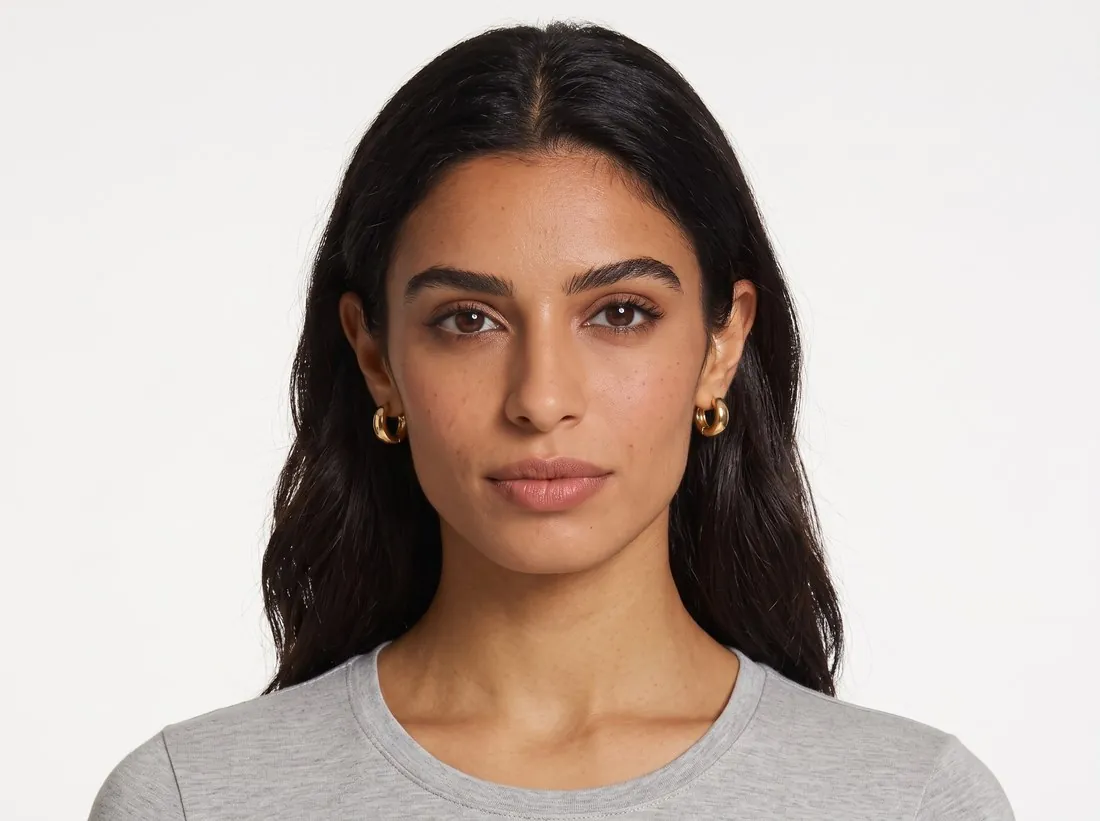
To show earrings worn without a shoot, upload one photo of the pair: Herofab shows them on the ear in a close portrait, on a studio model. Jewelry is framed close up and briefed to keep the metal colour, the stones and the length of the drop. A photo of a model you work with can be used once you confirm their permission.

Model wearing small gold huggie hoop earrings, front portrait on white · Virtual try-on
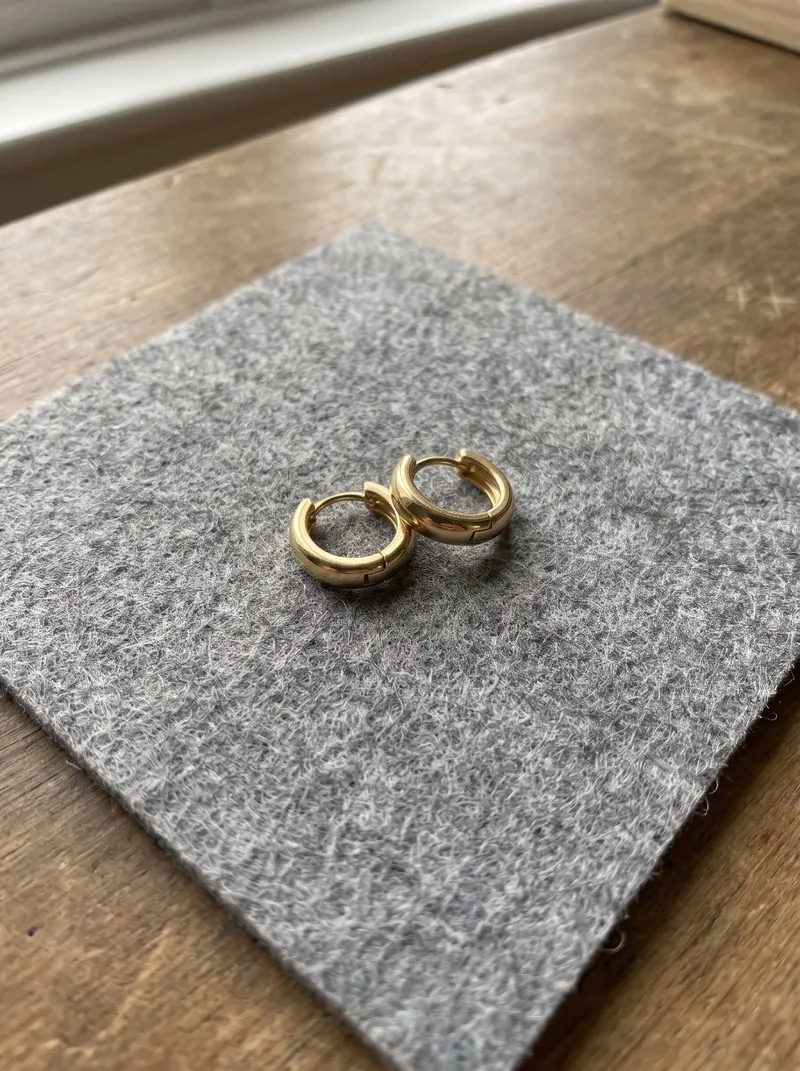
Source photo. Made with Herofab · Jewelry studio
Worth knowing

What an earring image has to keep.

  1. 1

    Drop length and scale

    A stud, a huggie, a hoop and a long drop sit at different heights between lobe and shoulder. Measure the real earring and judge the image against it: a drop that should brush the jaw must not stop at the lobe, and a small stud must not grow.

  2. 2

    Stones, pearls and settings

    Count them. The number, colour and order of stones or pearls should equal the product, and each should sit in its setting, whether claw, bezel or pavé. Herofab is briefed to keep the piece as photographed; tiny stones are where to look first.

  3. 3

    Hook, post and how it hangs

    A fish hook, a lever back, a post or a clip decides how the earring meets the ear. In the result the piece should pass through or clasp the lobe the way the real one does, and hang straight down instead of floating beside the ear.

Source photo

Photographing earrings as a pair.

  • Lay both earrings flat on a matte, plain surface, side by side with a small gap, turned the same way and with the hooks or posts visible.
  • Straighten every chain and dangling part to its full length; a drop that lies curled gives the wrong length to copy.
  • Photograph asymmetric or mismatched pairs together as well, since that one photo is the only record of both halves, and add a close-up of the stones.

Why an earring is shown from the side of the head

Earrings get a close three-quarter profile of the head, turned to the ear that wears the piece, with the hair tucked back. Both earrings are worn; the camera faces one ear, where the earring hangs large and centred. Unlike ring and bracelet images, the face stays in view, neutral or smiling.

The category sets this frame, so pose, back view and size are not offered, and no other jewelry joins the pair. A drop or a hoop hangs clear of the lobe in profile; a stud sits flat against it, so its stone and setting deserve the closest look in the result.

Your own photo, a studio model and the backdrop

To see a pair on yourself, upload your own photo as the person and tick the consent box. Your face then comes from that photo, yet the close profile still applies: the result shows you turned toward one ear, not posed as in the original.

Backdrops range from a white or light grey studio to outdoor and indoor settings, locations such as a garden, or an image of your own. Away from those locations, the brief asks for soft light that keeps the real shine of metal and stones.

Metal, stones and the photo the brief works from

The brief asks for the metal's colour and finish, and for every stone, bead or pearl in its count, cut and place, so it can only follow what the pair photo shows. Polished metal mirrors the room: daylight through a thin curtain, or white card held beside the pair, keeps glare off the piece.

A close-up of pavé or tiny stones can be added as an optional detail image. A pair left on its stand, in its box or beside a ruler can be uploaded as it is; the brief says to ignore those. If a stone or the metal still changes, mark the area on the delivered image and request a fix.

Questions

Virtual try-on for earrings, answered.

Can I preview earrings on a male model or myself?

Yes. Select a studio model, including a male model you created and saved to your library, or upload a photo of yourself that you have permission to use. Review the result to check the earring's scale and placement against the real pair; this is a style preview, not a fitting.

Is the virtual earring try-on free to use online?

Yes, to start. The try-on runs online in the Herofab studio, and new accounts receive free credits at sign-up with no card required; the cost answer below shows how many earring images they cover. Images made with free credits carry a watermark.

Can hoops and studs be tried on as well as drops?

Earrings are a single category in the app, and hoops, studs and drops are all uploaded under it. The check differs by type: for a hoop, that the ring stays round and passes through the lobe; for a stud, that it has not been enlarged.

Is the earring try-on a live camera mirror or a still image?

A still image. The pair photo, and a person photo if one is added, are uploaded, and the try-on returns a finished portrait to download; no live camera follows the head. To compare several pairs on one face, reuse one person photo or one saved model.

Can I try on earrings without uploading a photo of myself?

Yes. Without a person photo, a studio model wears the pair, set as a woman or a man. A model made first with Create model and kept in the library can also be chosen; short or tied-back hair leaves the ear clear in every image that uses it.

Which backgrounds can an earring try-on image use?

Studio white, studio grey, outdoor, lifestyle, the model photo's own background or the seller's own image, and named locations: seaside rocks, a wooden pier, a city street, a Mediterranean village, a café terrace or a garden. In a location, the light can be the scene's own, morning, golden hour or overcast.

Can the model smile in the earring images?

Yes. The expression is set to neutral or smile for each image, and both are available with the close framing used for earrings. Ordering one image of each with the same model and the same pair shows which suits the listing; the earrings themselves are briefed to stay the same in both images.

How much does it cost?

5 credits per image, plus one credit for 4K. In US dollars that is $0.20 to $0.60 per image before tax, from the largest plan to the smallest credit pack. The cost is shown before you generate, and if a job fails the credits are returned. The 20 free credits at sign-up cover 4 images with this tool.

Examples by product
Get started

Your next collection, shot this week.

20 credits at sign-up, no card required. Images made with free credits carry a watermark. Herofab also removes the watermark from those images once credits are purchased.