Language: EN
Start free

Worn on a model, in Trendyol's upright frame.

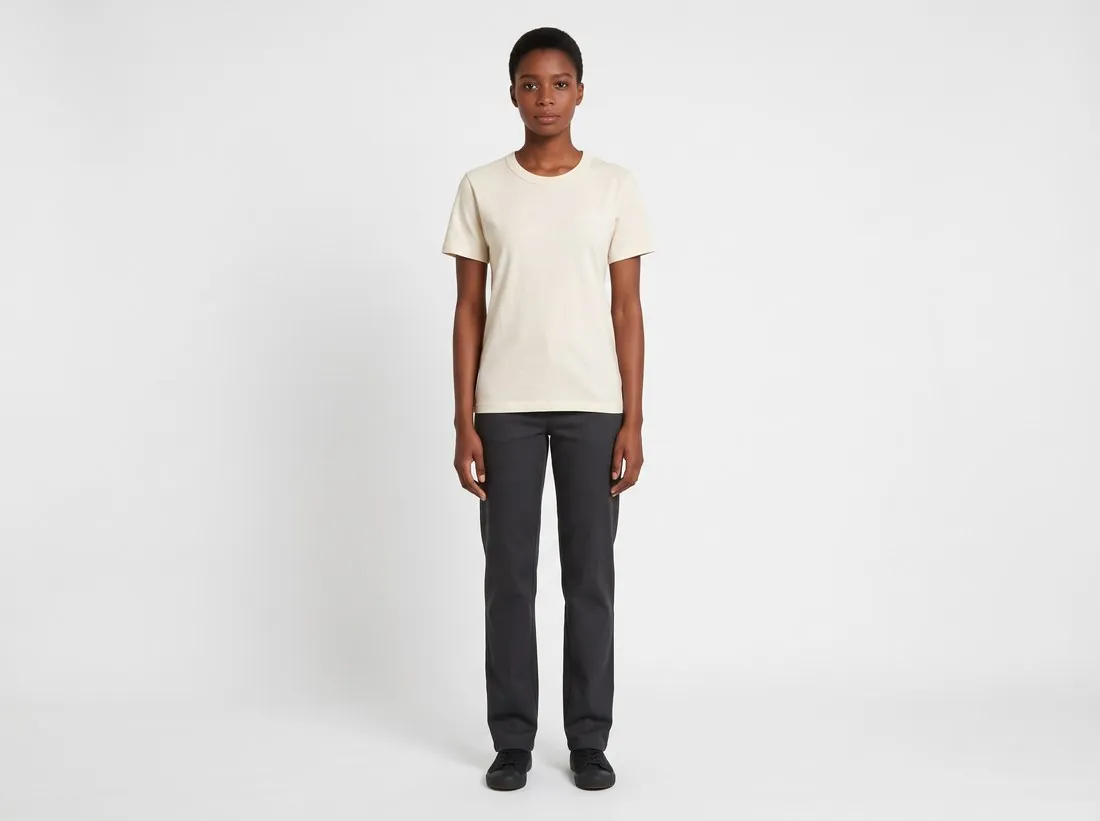
Trendyol's developer documentation states few image rules: one upright size, a limit on the number of images per barcode, and image links that are HTTPS. Virtual try-on shows a garment worn from a hanger photo, without a photoshoot, and the delivered image downloads in the Trendyol size without cropping.

Model wearing the ecru T-shirt with dark trousers, full length on white · Virtual try-on
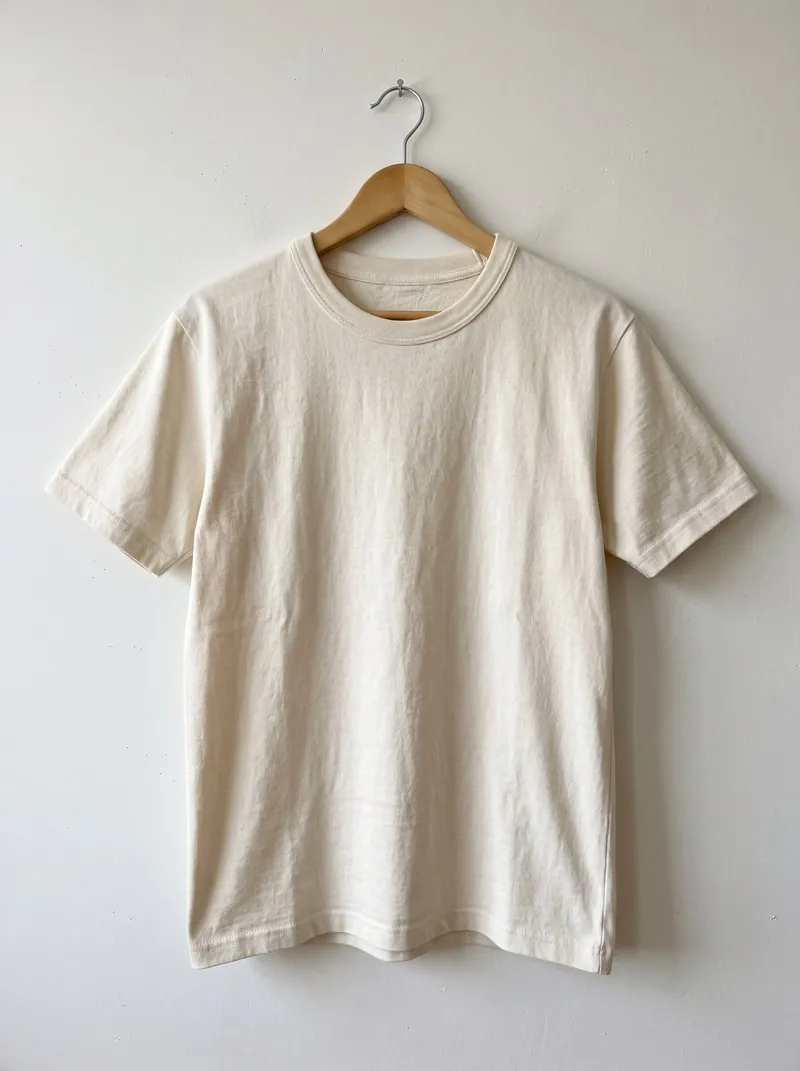
Source photo. Made with Herofab · Virtual try-on
Worth knowing

Three short rules, and what the worn image carries.

  1. 1

    A single upright size

    Trendyol gives one size, taller than it is wide, at a stated resolution. A frame of that shape holds a standing model from head to hem in one image. Choose a portrait ratio when the image is made and Trendyol at download: the file is produced from the delivered image without cropping.

  2. 2

    Few slots, each one carrying something

    The number of images is capped per barcode, so every image has to earn its slot. An on-model image carries the garment as worn: the print in place on the chest or the back, the fabric, the buttons and the trims as photographed. Try-on delivers the front, or front and back as one set, and several poses of one model can be ordered at once.

  3. 3

    Images arrive as secure links

    Trendyol's product creation takes images as links, and those links must be HTTPS. Herofab delivers a file to download; the address it is later served from belongs to the seller's shop system or integrator. Before a product is submitted, open each image link and confirm that it begins with https and shows the final file.

In marketplace rules

What Trendyol asks for.

Source: Trendyol Developers — Ürün yaratma v2. Checked 10 October 2026.

Size
1,200 × 1,800 pixels at 96 dpi
Number
Up to 8 images per barcode
Delivery
Image URLs must be HTTPS
Source photo

The hanger photo a Trendyol set starts from.

  • Hang the garment so that it falls straight, close the zip and the buttons, and keep the collar, both sleeves and the hem in the picture; every image in the set is made from this one photo.
  • Turn the hanger and photograph the back too when it has a print or a yoke: front and back are delivered as one set, and a back print stays on the back.
  • Take a close-up of the smallest detail, a woven label, an embroidered logo or a snap button, and add it to the upload so that small lettering has a sharp reference.

An exact pixel size and secure links as the gatekeepers

The developer documentation states its image rules as fixed values rather than ranges: one width, one height and a resolution figure. A file that is close but not equal, slightly wider after an export or a pixel short after a crop, does not match the stated size, which is why the free image size checker treats the figure as exact.

The other two rules concern delivery. Images arrive as links, and every link has to be served over HTTPS, so an address without the secure protocol does not meet the rule. The number of images is capped per barcode, and the set for one variant is planned against that ceiling rather than extended later.

Worn views for clothing, packshots for what is not worn

Virtual try-on is the tool behind most of a clothing set: the garment on a studio model, front and back ordered as one set with the same person, and further poses such as walking, three-quarter or seated. Its portrait ratios suit the upright frame, and the back view keeps a back print where it belongs.

Bags, shoes, eyewear and jewelry worn by the model come from the same tool, framed for their size; the object alone on a plain ground comes from the packshot studio, and a garment without a model from Ghost mannequin. Detail shot adds a close-up of a print, an embroidered logo or a closure when a slot remains.

Producing the exact upright file for each barcode

The documented size has a two-by-three shape, which is one of Herofab's formats, so a two-by-three image reaches the stated size without padding. An image in another format is padded by the download for this marketplace to the exact stated size without cropping, adding white space at the edges, which disappears into a studio white backdrop and shows as bands on a scene.

The free resizer for this marketplace builds the same exact size in the browser for photos from other sources, and the free image size checker confirms the width and height of every file. As a browser resize writes a new file without metadata, Herofab images are better taken from the download, which writes the AI marker back.

Questions

Product photos for Trendyol, answered.

Is the image delivered in the size Trendyol gives?

Trendyol is one of the marketplace sizes offered once an image is delivered. Choosing it produces a file in the upright size named in Trendyol's documentation, made from the delivered image without cropping. Herofab's free image size checker reads the file in the browser and tests it against Trendyol's published rules; the image is not uploaded.

How can a limited number of images be divided?

Trendyol sets the upper limit per barcode and leaves the division to the seller. With Virtual try-on a set can open on the standing front view, add the back in the same order, and continue with a three-quarter or walking pose and a close-up, all on one model. A product listed under several barcodes has its own set under each, so plan the views once and repeat them.

What is compared with the garment before the links go out?

Herofab is briefed to keep the fabric, the buttons and the print. Small lettering, fine logos and detailed prints come first: a print that can be matched is carried over from the photo, and one that cannot is redrawn and worth a close look. The fit follows the size chosen for the model and is not a measurement of a real body. Trendyol decides what it accepts.

Which Herofab ratio comes closest to the required upright size?

Two by three. The documented size is two by three, which Herofab offers as a format, so a two-by-three image needs no padding at download. An image in another format is padded to the exact size; on a studio white background the added space blends into the backdrop.

Does the image limit apply per product or per barcode?

Per barcode, according to the developer documentation. A product sold in several colours or sizes under separate barcodes therefore carries a separate image set for every barcode, and a shared front view can be reused while colour-specific images change.

How much does it cost?

5 credits per image, plus one credit for 4K. In US dollars that is $0.20 to $0.60 per image before tax, from the largest plan to the smallest credit pack. The cost is shown before you generate, and if a job fails the credits are returned. The 20 free credits at sign-up cover 4 images with this tool.

Examples by product
Get started

Your next collection, shot this week.

20 credits at sign-up, no card required. Images made with free credits carry a watermark. Herofab also removes the watermark from those images once credits are purchased.