Language: EN
Start free

Square Online item images, square and made in 2K.

Square recommends item images in a one-to-one ratio at or above a stated size. Herofab's product studio sets an item in a studio or styled scene from one photo; square 2K output is just above that recommendation, and square 4K is above the maximum the UK edition of Square's article states. So 2K is the size to upload.

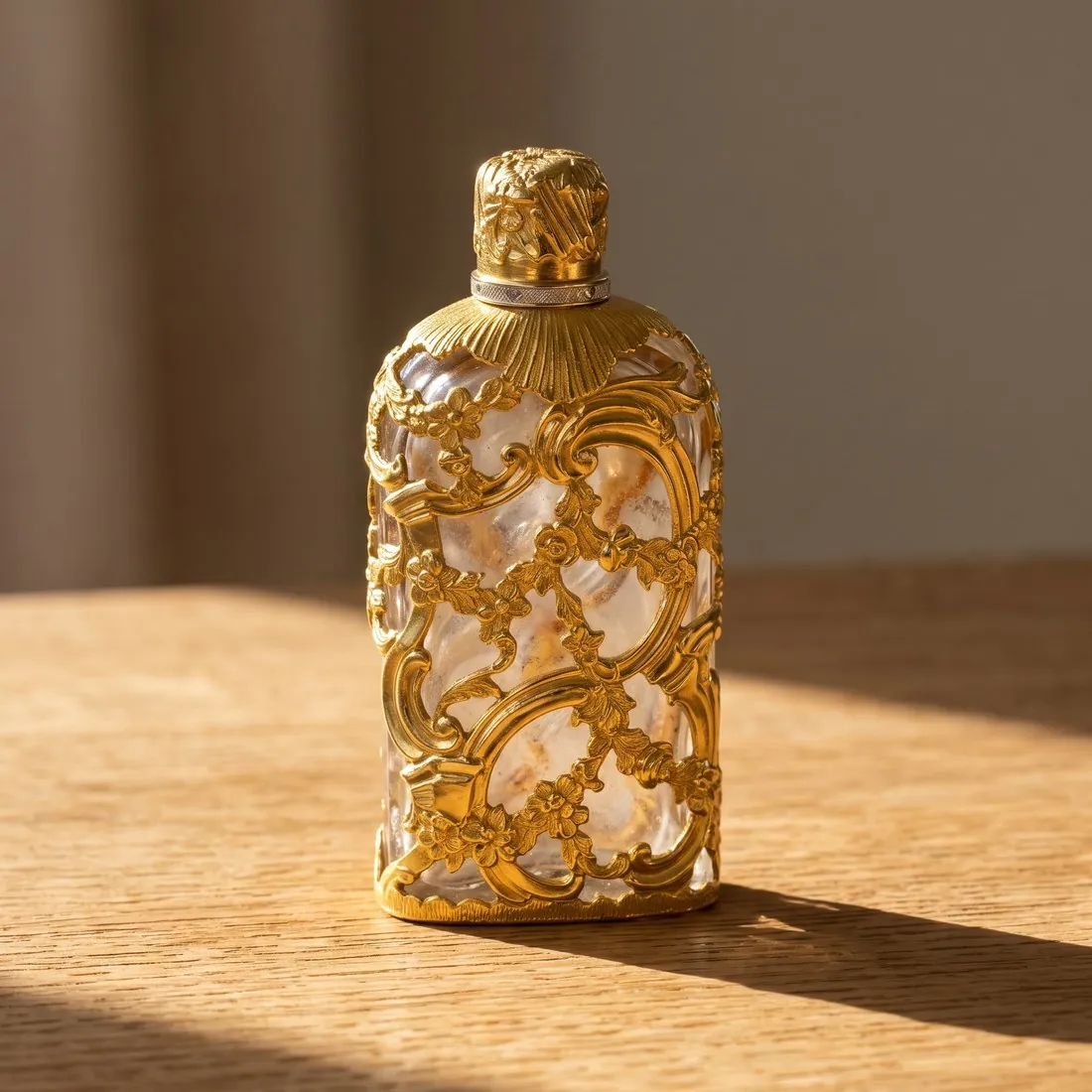
The same bottle on a wooden surface · Product studio
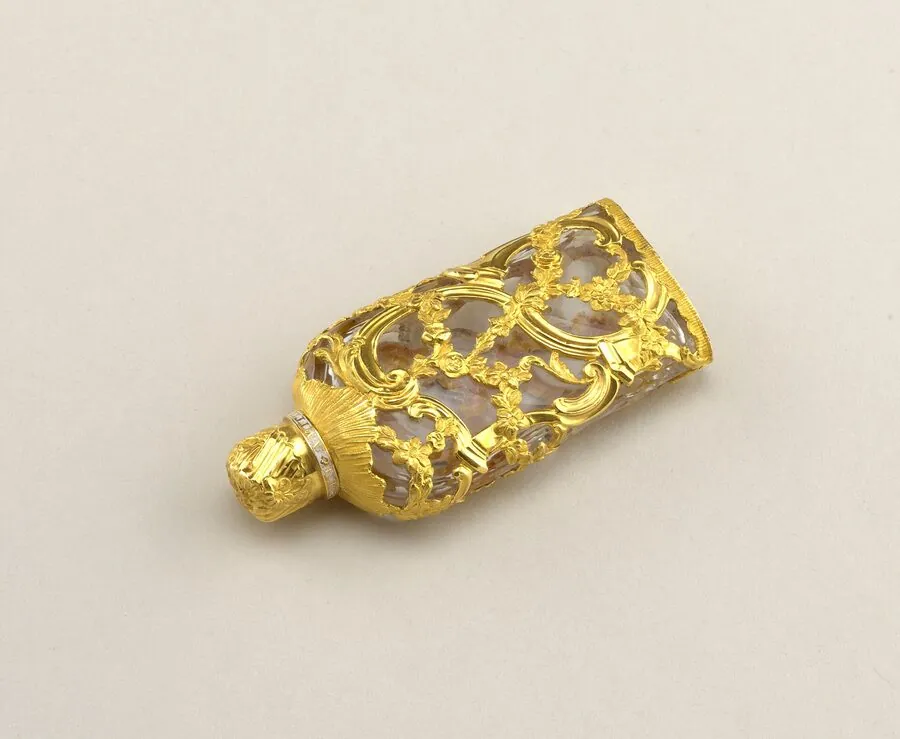
Source photo: Product photo. Made with Herofab · Product studio
Worth knowing

What Square says about an item image.

  1. 1

    Just above the recommendation

    Square recommends at least a certain square size for item images, and square 2K output is just above it. Order the image square and upload it as delivered. Trimming it in an editor afterwards can take it below the recommendation, so the framing is settled in Herofab, with the angle and the scene, not by a later cut.

  2. 2

    A maximum in the UK edition

    The UK edition of Square's article states a maximum pixel size for images, and square 4K output is above it. 2K lies between the recommended size and that maximum, which makes it the resolution to choose for Square Online. The 4K option remains useful for other channels; the same source photo can be ordered again for those.

  3. 3

    Two editions, two file ceilings

    Square's US Support Center and its Catalog API give one ceiling for the weight of an image; the UK edition of the same article gives a higher one and recommends a far lighter file for faster page loading. Herofab images download as PNG or JPG, both accepted by Square, and the JPG is the lighter. The lower ceiling is the one to plan for.

Recommended
At least 2,000 × 2,000 pixels with a 1:1 aspect ratio
Formats
JPG, JPEG, PNG and GIF
File size
Up to 15 MB per image in the US Support Center and the Catalog API; the UK edition of the same article says up to 20 MB; the UK edition recommends 500 KB or less for faster page loading
Maximum
The UK edition of the article states that images can be up to 2,560 × 2,560 pixels
Number
The Catalog API allows no more than 250 images attached to one catalog object; bulk upload cannot associate multiple images with a single item or its variations
Variation images
Images can be added to specific item variations
Alt text
Alt text can be added to non-background images in the site editor
Source photo

Photographing an item for a one-to-one frame.

  • Compose as if the phone's screen were already square, with similar room on all four sides of the item; Square recommends a one-to-one ratio, and an item pushed against one side leaves a square scene lopsided.
  • Photograph each variation of an item, every size of candle or colour of mug, as a picture of its own; Square lets images be added to specific item variations.
  • Lay small items such as earrings, soaps or pins singly on a plain surface and move the phone close; an item that is tiny in the source photo arrives with little detail to enlarge.

Bulk uploads, regional ceilings and late trimming

Item images go wrong in three places. A bulk upload cannot attach several images to one item or to its variations, so a catalogue imported in one pass arrives with thin galleries. The weight ceiling also differs between the US and UK editions of the help article, so a file prepared for one region is checked against the lower figure.

The recommended square is a floor that is easy to fall below after delivery. Cropping a square image in an editor to tighten the framing takes it under the recommendation, and a picture reused from an older catalogue may be smaller still. At the other end, square 4K output passes the maximum stated in the UK edition.

Item, variation and gallery images from one photo

The product studio makes the item image square on a studio ground, the shape the recommendation names. Front, three-quarter, side and top-down views from the same source photo then fill the further images that are added to the item one by one after a bulk upload.

Images can be attached to specific item variations. Colour variants recolours one approved square into each shade with the same framing, and Detail shot frames a square close-up of a wick, a glaze or a clasp, so every image of the item keeps one shape.

Resizer preset and the step between 2K and 4K

Square 2K output lies between the recommended size and the UK maximum and goes up as delivered. The free resizer preset for this store fits any photo inside the recommended square: a 4K image is scaled down to it, while a photo smaller than the square is enlarged, which adds no detail. Upscale is the step for that case.

The resizer writes a new file, so the AI marker embedded in Herofab images is not carried over; ordering 2K avoids that step. The JPG download is the lighter of the two formats, and the image size checker tests weight and format against the published figures in the browser.

Questions

Product photos for Square Online, answered.

Why is 2K, not 4K, the setting for Square Online?

Square recommends item images of at least a certain square size, and square 2K output is just above it. The UK edition of Square's article also states a maximum, and square 4K output is above that maximum. 2K therefore sits between the two figures, both of which are given in the table on this page, and it is the size Herofab suggests uploading.

Can a bulk upload attach several images to one item?

No. Square's bulk upload cannot associate multiple images with a single item or its variations, so further views reach an item outside the bulk upload. The Catalog API sets an upper limit on the images attached to one catalog object, and that count is listed on this page. From one source photo the product studio supplies front, three-quarter, side and top-down views for such a set.

Where does alt text go on a Square Online image?

In the site editor, where Square allows alt text on non-background images. The text is the seller's to write: the item's name, its material and its colour. One point to settle before an image reaches a live item page is the watermark, which images made on free credits carry and images made on a plan or with a credit pack do not.

Can each item variation carry its own image?

Yes. Images can be added to specific item variations. Colour variants turns one approved image into further colours with the same framing and composition, so a mug offered in several glazes keeps one consistent look as a shopper moves between the variations.

Can a 4K image be brought within the stated maximum without a new order?

Yes. The free resizer preset scales it down to the recommended square, which lies inside the UK maximum, and crops nothing. The new file does not keep the AI marker embedded in Herofab images, so ordering 2K for this store remains the simpler route.

How much does it cost?

4 credits per image, plus one credit for 4K. In US dollars that is $0.16 to $0.48 per image before tax, from the largest plan to the smallest credit pack. The cost is shown before you generate, and if a job fails the credits are returned. The 20 free credits at sign-up cover 5 images with this tool.

Examples by product
Get started

Your next collection, shot this week.

20 credits at sign-up, no card required. Images made with free credits carry a watermark. Herofab also removes the watermark from those images once credits are purchased.