Language: EN
Start free

How can I put my earrings on a model from a product photo?

Upload a plain photo of the earrings to Herofab's Jewelry studio, select earrings as the type and choose a model. Herofab shows them worn in a close-up of the head in three-quarter profile, and is briefed to keep every stone, the metal colour and the shape.

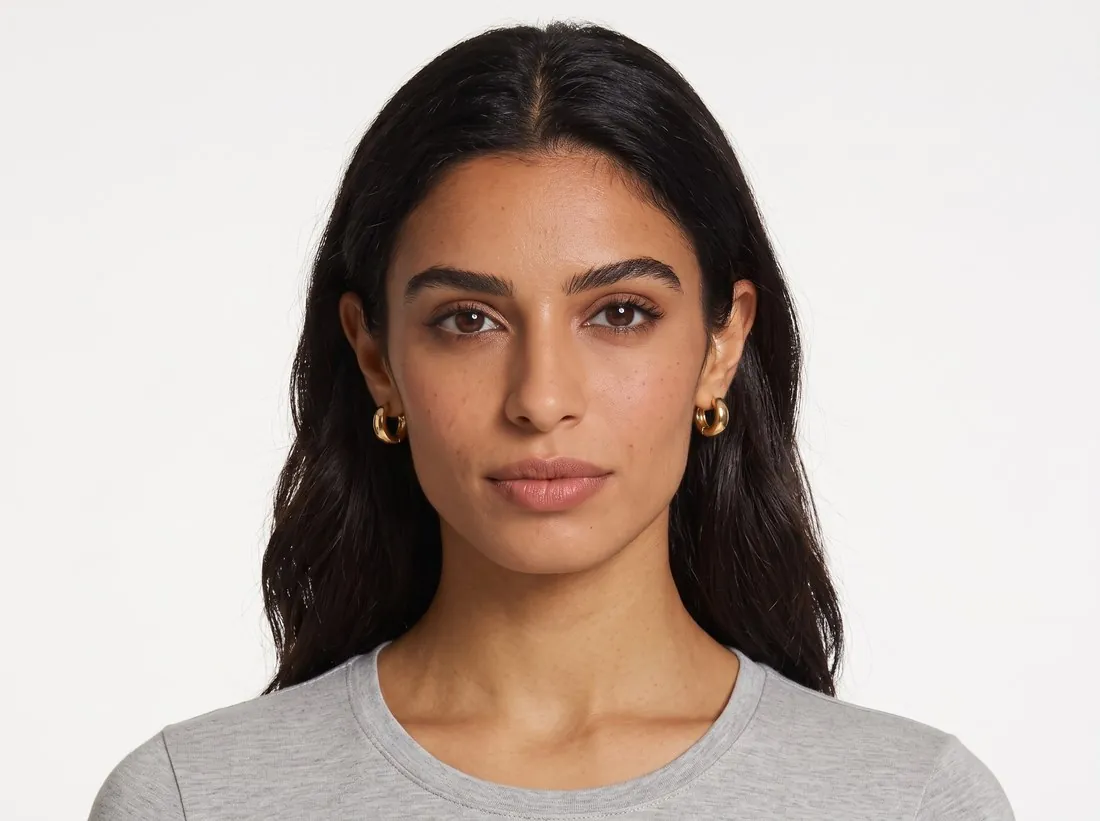
Model wearing small gold huggie hoop earrings, front portrait on white · Jewelry studio
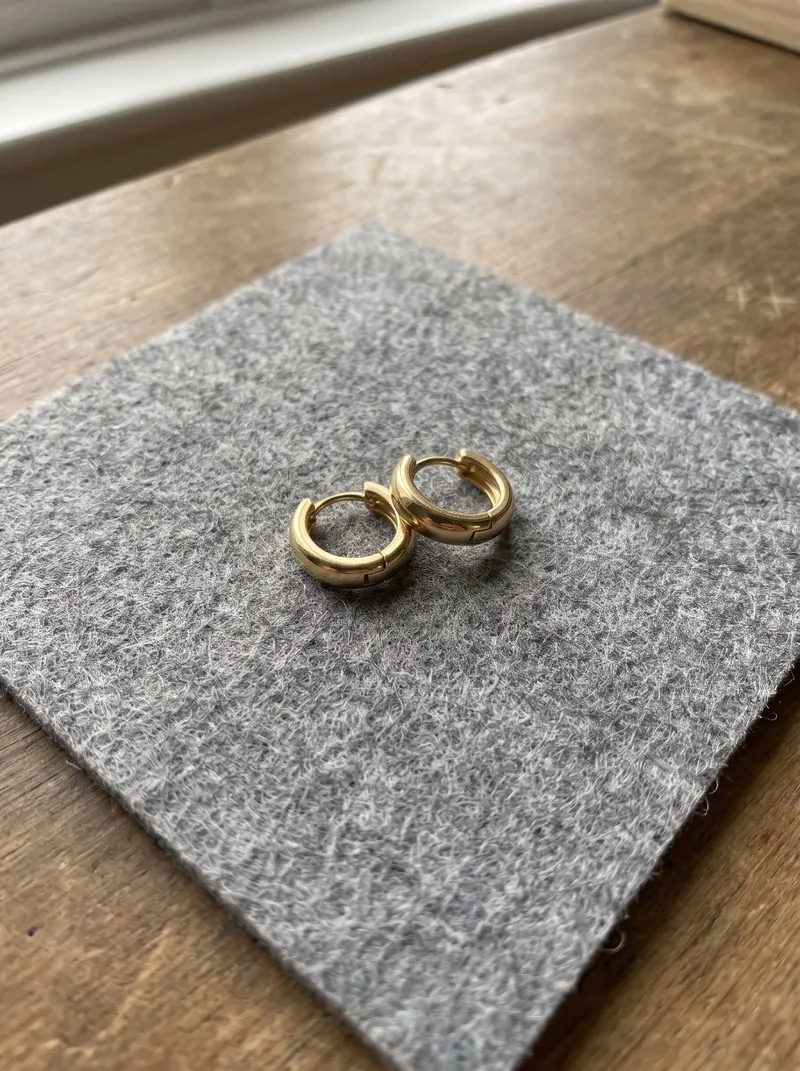
Source photo. Made with Herofab · Jewelry studio
Worth knowing

Three steps from the flat photo to the ear.

  1. 1

    Photograph and upload the pair

    Take one sharp photo of the earrings with every stone and the clasp visible and upload it to Jewelry studio. A separate close-up of a setting or a hallmark can be added, so small details reach the brief at a readable scale.

  2. 2

    Select earrings and a model

    Jewelry studio asks for the type of piece before the job starts, because the type sets the frame. Then choose a ready-made model, one you created or a photo of a model you have permission to use, and a neutral or smiling expression.

  3. 3

    Get the ear in close-up

    The result frames the head in three-quarter profile with the hair tucked behind the ear. The model wears the pair; the ear facing the camera shows one earring, centred, in crisp focus and at its true size against the ear.

Source photo

The earring photo Jewelry studio works from.

  • Lay the pair flat side by side on a plain, matte surface, with an equal gap between them and no overlap.
  • Work in window light without flash, and tilt the earrings slightly if the phone shows up in polished metal or a stone.
  • Measure the drop before uploading and put the figure in the listing text; it also lets you check that the earring looks the right size on the model.

Hooks, lever-backs, posts and clips in a worn image

An earring is recognised by its fitting as much as by its front: a fish hook passing through the lobe, a lever-back closing behind it, a post with a butterfly back, a hinged huggie, or a clip that grips the lobe without a piercing. The brief keeps the clasp or hook where it is visible, and in a three-quarter profile the visible part is whatever sits in front of and below the lobe.

A hook or a lever-back shows above and through the lobe, so its curve and its metal should match the piece. A post back sits behind the ear and is normally out of sight; there the front of the earring carries the image alone. On a clip-on, part of the clip mechanism can show against the lobe, and that part is worth comparing with the real fitting before publishing.

Drops, chandeliers and hoops at their real length

A drop or chandelier earring is built from elements that hang from one another: a top stone or stud, connecting links and one or more dangles at the bottom. The brief asks for the earring to hang naturally, at its true size relative to the ear, with every stone, bead or pearl in the same number, colour, cut and place. The number of dangles at the foot of a chandelier is the first count to make.

A hoop is judged by its diameter and by the thickness of its tube. A small huggie should hug the lobe closely, while a wide hoop should fall towards the jaw only as far as the real one does. Since the tool takes no measurement of the piece, the measured drop or diameter of the pair, written down beside the image, is the reference for whether the earring looks right on the ear.

What to compare in an earring image before listing

Start at the lobe. The hook or post should enter the skin where a lobe is normally pierced, rather than floating beside the ear or sitting on its rim. Then compare the face of the earring with the flat photo of the pair, stone by stone, and check that no second earring or ear cuff has appeared on the same ear, because the brief asks for no other jewelry.

Last, look at the metal where it meets hair and skin. An earring sits close to both, and polished gold or silver picks up their colour in any photograph. The brief asks for the true shine of the metal and stones, so the colour of the piece should read as it does under neutral light; a pair whose gold looks clearly warmer or cooler than the real one is better reordered than published.

Questions

Earrings on a model photos, answered.

Will the photo show both earrings of the pair?

The model wears the pair, and the frame shows the ear facing the camera, so one earring is visible. That is the usual way earrings are shown worn; the flat photo of the pair can sit next to it in the listing.

Can the earrings be shown on my own model?

Yes. Upload a photo of the model and confirm that you have their permission, or create a model and save it to your library, so the same face wears every pair in a collection.

What should I check before publishing the image?

The stone count, the setting and any fine chain. The piece is briefed to stay as in your photo; small stones and thin links are the details worth comparing with the real pair. Pose and back view are not offered for jewelry.

Will other earrings or piercings appear on the model?

The brief asks for no other jewelry and no watch, so the model is meant to wear only the pair from the photo. When an uploaded model photo shows earrings of its own, check the visible ear for anything left over, such as a second stud higher on the lobe or a cuff on the upper ear: it is not part of the brief and should not reach the listing.

Can clip-on earrings be shown on a model?

Yes, under the earrings type, which has no separate setting for clips. The brief keeps the clasp or hook where it is visible, so photograph the clip closed, the way it sits when worn, and compare how it grips the lobe in the result. A clip that appears to pass through the lobe like a hook is a change worth reordering.

How much does it cost?

5 credits per image, plus one credit for 4K. In US dollars that is $0.20 to $0.60 per image before tax, from the largest plan to the smallest credit pack. The cost is shown before you generate, and if a job fails the credits are returned. The 20 free credits at sign-up cover 4 images with this tool.

Examples by product
Get started

Your next collection, shot this week.

20 credits at sign-up, no card required. Images made with free credits carry a watermark. Herofab also removes the watermark from those images once credits are purchased.