Language: EN
Start free

Feed images that carry the product and nothing added.

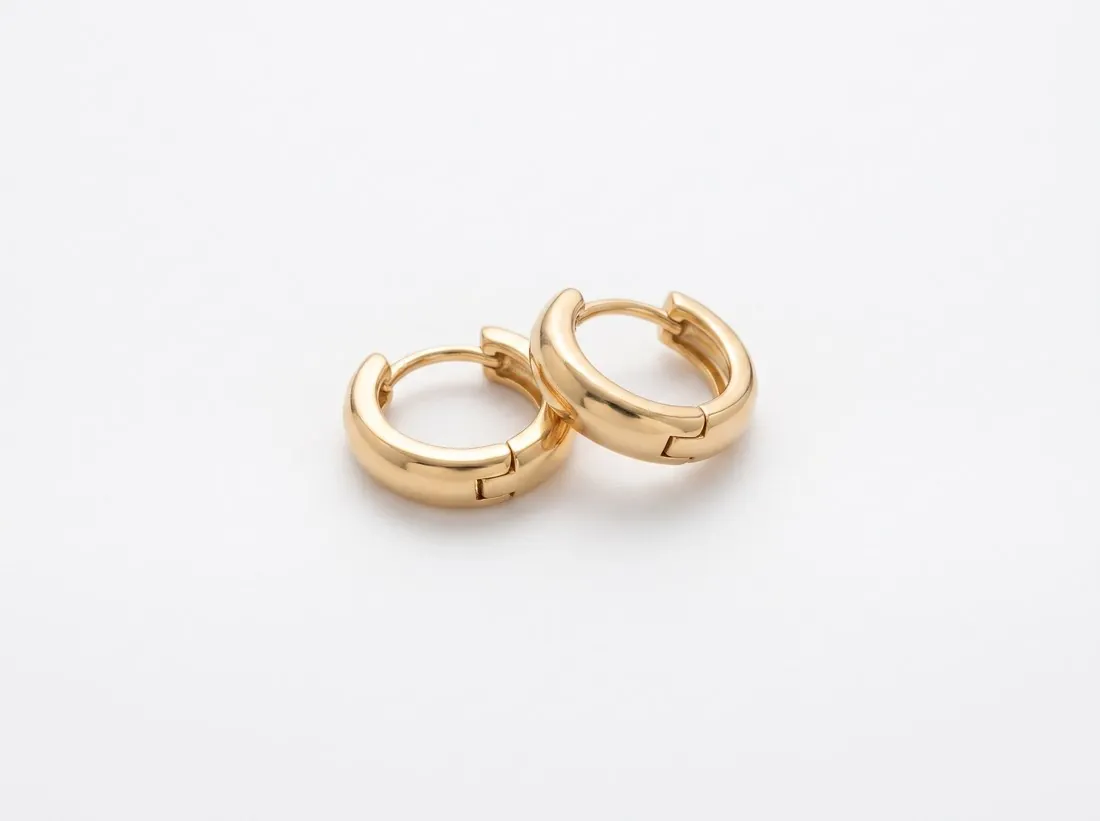
Google Shopping wants the product to take up most of the image while leaving a margin, and it does not allow watermarks, promotional text, calls to action, borders or price information on it. Herofab's packshot studio delivers the product alone, centred and evenly lit, from one phone photo, with an AI marker in the file.

Pair of polished gold huggie hoop earrings on a white background · Packshot studio
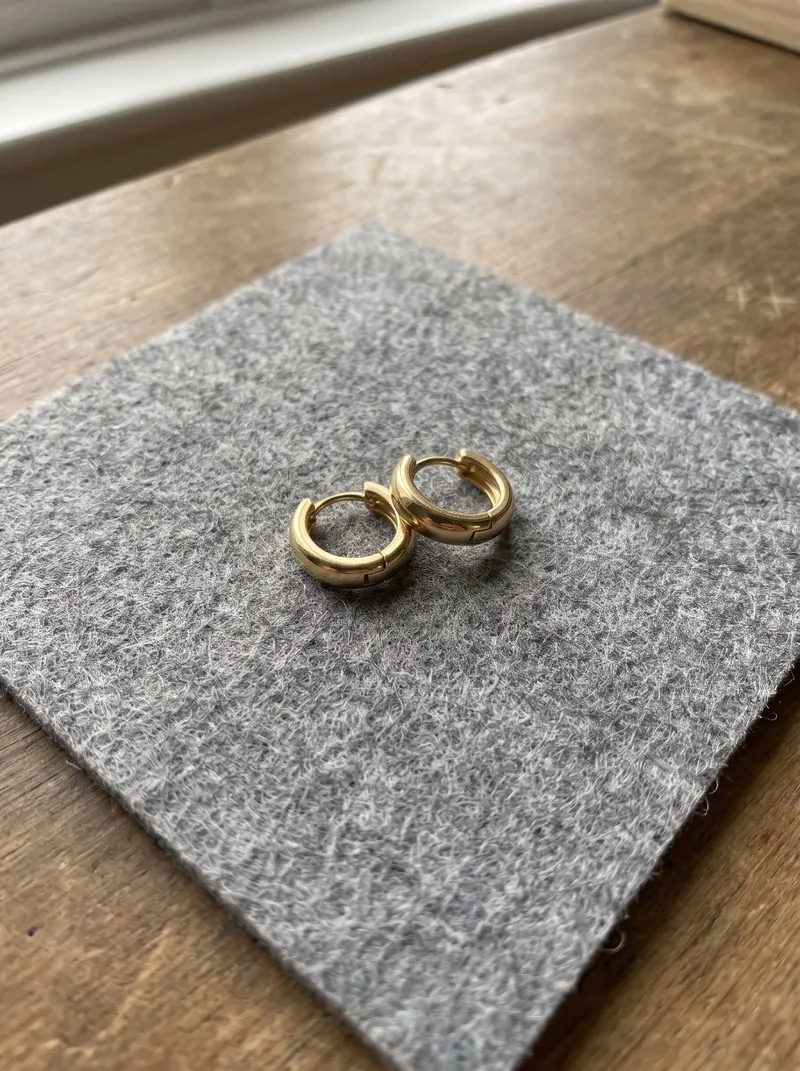
Source photo. Made with Herofab · Packshot studio
Worth knowing

What Merchant Center expects of an image.

  1. 1

    Most of the frame, not all of it

    Google sets a lower and an upper limit on the share of the image the product occupies: it should dominate the picture and still leave a margin. A packshot shows the product once, centred and filling most of the frame. Check two things in the delivered image: the product is not small in an empty field, and no edge meets the border.

  2. 2

    No overlay of any kind

    Watermarks, promotional text, calls to action, borders and price information are all excluded. A sale badge or a decorative frame made for a shop's own site has to come off before the file enters the feed. Herofab adds no text or watermark to images made on a plan or with a credit pack, whereas free-credit images do carry a watermark.

  3. 3

    The AI tag stays in the file

    Google asks sellers not to remove the IPTC tag that identifies an image as AI-generated, and Herofab writes a machine-readable AI marker into every image. Editing or export steps that strip metadata would remove it, so the file submitted to the feed should be the downloaded one or a copy saved with its metadata intact.

In marketplace rules

What Google Shopping asks for.

Source: Google Merchant Center Help — Image link [image_link]. Checked 10 October 2026.

Minimum
At least 500 × 500 pixels
Recommended
1,500 × 1,500 pixels or above
Maximum
No file larger than 16 MB, no image larger than 64 megapixels
Formats
JPEG, WebP, PNG, GIF, BMP and TIFF
Framing
Recommended as a best practice: the product takes up no less than 75% and no more than 90% of the image
Not allowed
Watermarks, promotional text, calls to action, borders, price information
AI images
Images created with generative AI must carry metadata that marks them as AI-generated, such as the IPTC DigitalSourceType tag; the tag must not be removed
Variations
Recommended: a separate image for each variant, showing only that variant in its exact colour, pattern, finish and material
Placeholders
Placeholders, logos, generic graphics and single-colour squares are not accepted in place of a product photo, outside a few exempt categories
Effective date
Google has announced the 500 × 500-pixel minimum for all products beginning 31 January 2027
Image URL
Must start with http:// or https://, contain ASCII characters only and be RFC 3986 compliant, 1 to 2,000 characters; it must point directly to a valid image file, with symbols and spaces replaced by URL-encoded entities
File names
The file extension must match the actual format; a .jpg extension on a PNG file leads to an "Unsupported image type" error
Crawling
The robots.txt file must allow both Googlebot and Googlebot-image to fetch the images
Also not allowed
Added brand, manufacturer or retailer names and logos, unless they are a physical part of the product itself; barcodes, QR codes or serial tags; added labels describing condition or compatibility, such as "New"; service or warranty claims
Other products
No product that is not sold together with the main product
Packaging
An image of a product in its original packaging must clearly show the multidimensional packaging, not just its front
Source photo

The photograph behind a feed image.

  • Photograph a single product per frame, complete and straight on; an image meant to show one product with a margin around it starts from a photo that holds all of it.
  • A price tag in the photo is not carried over, since the tool is briefed to use only the product, but look over the delivered image for any trace of it: Google excludes price information.
  • Use even daylight without flash so the recorded colour matches the product, then compare the colour of the delivered image with the product in daylight.

Feed errors that have nothing to do with the photo

Many refused images fail before anyone looks at them. The link has to start with a web protocol, use ASCII characters only and lead straight to the image file, with spaces and symbols encoded. A PNG saved under a JPG name is reported as an unsupported type, and a picture that robots.txt hides from the image crawler is never fetched.

The picture itself can fail on details beyond overlays: a brand or retailer name added rather than printed on the product, a barcode, a QR code or a serial tag, a condition label, or an item that is not part of the sale. Packaged goods need the box shown in depth, not only its face, and a placeholder never stands in for a photo.

One packshot per variant, the box seen in depth

Each variant needs a picture of its own, shown in the true colour, pattern, finish and material of that variant. The surest source is a photo of every variant run through the packshot studio with one view and one ground; Colour variants can recolour a single photo instead, and each result is compared with the real variant in daylight.

For goods sold in a box, the three-quarter packshot turns the product slightly and shows it from a little above, so two faces and the depth read at once. The studio is briefed to show one product, which keeps unrelated items out of the frame, and nothing is printed over a paid image.

Files that keep their AI tag on the way to the feed

The download for this marketplace writes a JPEG at the recommended square, padded rather than cropped, measures the fill against its lower and upper bounds, and puts the AI marker back as its final step, so the tag the policy forbids removing sits in the file the feed fetches. A .jpg name then matches what the file contains.

Hosting is the seller's part: a server whose robots.txt admits the image crawler, under a plain ASCII address. An editor or a browser resizer can strip the marker on the way, so the free AI image label checker is worth a pass before upload, and the free checker for this marketplace tests fill, size and format.

Questions

Product photos for Google Shopping, answered.

Is the delivered image large enough for Google Shopping?

Herofab delivers in 2K, or 4K as an option, and 4K output clears the size Google recommends. The Google Shopping download produces the recommended size from the delivered image, without cropping the product. Google also sets a minimum size and upper limits on file weight and total pixel count, all listed in the table on this page.

Does the packshot leave the margin Google asks for?

The packshot studio frames the product centred and filling most of the image, which is the kind of framing Google describes, and the seller confirms the share for each image. Herofab's free Google Shopping checker reads the file in the browser, without uploading it, and tests it against the published rules; Google decides what its feed accepts.

Can one source photo supply more than one feed image?

Yes. The same photo can be turned into a front, three-quarter, side or top-down packshot, and each delivered image can be sent on to another tool or downloaded in a marketplace size. For a garment, Ghost mannequin gives the equivalent view on white without a model. Every one of these images carries the AI marker in its file.

Why is a valid photo reported as an unsupported image type?

Often because its extension does not match its content, such as a PNG file named as a JPG. Saving the file again in the format its name states, or renaming it to match, removes the mismatch. The download from Herofab is written as JPEG, so a .jpg name agrees with its content.

Must robots.txt allow the image crawler to fetch product images?

Yes. The rules require that both the general crawler and the image crawler may fetch the image files, so a disallow line covering the image folder blocks that fetch. It is a setting on the seller's own server and not part of the image file itself.

How much does it cost?

4 credits per image, plus one credit for 4K. In US dollars that is $0.16 to $0.48 per image before tax, from the largest plan to the smallest credit pack. The cost is shown before you generate, and if a job fails the credits are returned. The 20 free credits at sign-up cover 5 images with this tool.

Get started

Your next collection, shot this week.

20 credits at sign-up, no card required. Images made with free credits carry a watermark. Herofab also removes the watermark from those images once credits are purchased.