Language: EN
Start free

A scene for a bag, written in a brief.

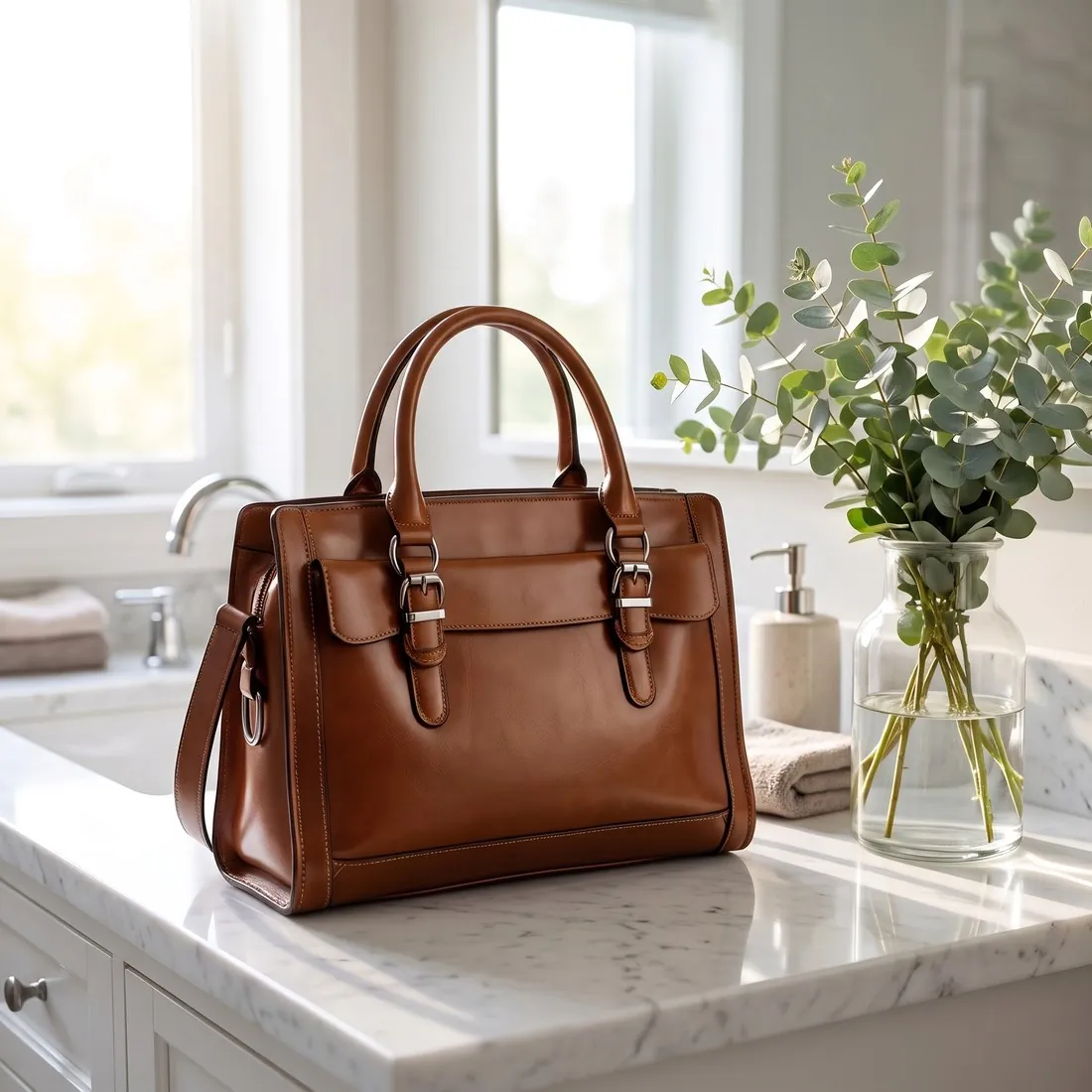
A bag photographed on a kitchen table says little about where it is carried. Canvas starts from that photo and a written brief, builds the described scene around the bag, a café table, a stone step, a hallway bench, and is briefed to keep the bag as photographed.

The brown leather handbag on a white marble vanity beside eucalyptus in morning light · Canvas
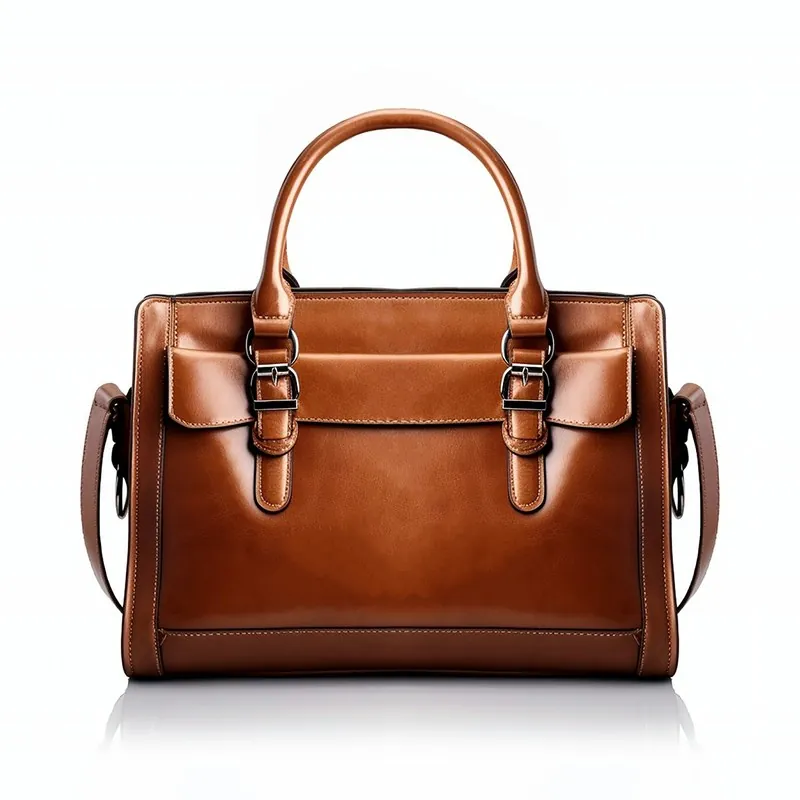
Source photo: Plain product photo. Made with Herofab · Canvas
Worth knowing

What the scene must leave to the bag.

  1. 1

    Shape, handles and base

    A structured bag has a fixed outline: the width of the gusset, the curve of the top handle, the drop of the strap, the feet under the base. The bag is briefed to come through as photographed. Compare the result with the source, since a slouchy tote and a boxy satchel should each keep their own stance.

  2. 2

    Hardware and the logo plate

    Buckles, zip pulls, rings, studs and a metal logo plate are small, bright and easy to alter. Read the lettering on the plate letter by letter and count the rings and the feet. Soft, diffuse light in the brief is kinder to polished metal than a hard spotlight, which lays glare over the plate.

  3. 3

    Props beside the bag, not over it

    A scarf, sunglasses, a coffee cup or a book gives a scene its story, and each is a risk if it lies across the flap or hides the clasp. Say in the brief that props stand beside or behind the bag and that its whole front stays visible. Order several variants and discard any in which something overlaps the bag.

Source photo

The bag photo and the brief to start from.

  • Stuff the bag so it holds its shape, stand it upright on a plain surface and photograph the front straight on, with handles and strap fully inside the frame.
  • Turn the logo plate and the clasp towards the camera and avoid flash, which leaves a white glare on metal and on glossy or patent leather.
  • In the brief, name the surface, the props, the direction and warmth of the light and the mood, for example a stone bench in late afternoon sun with nothing covering the bag.

Writing an AI scene brief for each kind of bag

A bag's type suggests where it belongs, and a brief reads most clearly when it starts there. An evening clutch fits a dark bar counter or a marble side table in low warm light; a work tote a desk by a window; a straw basket bag a market stall or a sunlit terrace; a backpack a bench at the start of a trail or a city railing. Name the surface first, then the background, the light and the season.

Keep the brief to the scene. The bag is already described by its photo, and the rules about the product take priority over the description: the bag is to keep its shape, colours, materials, hardware and logo as photographed. A brief that renames the colour or the leather of the bag is not followed on that point and adds nothing. Words about the bag can stay limited to where it stands and how it is lit.

Four framings of one bag scene, and how to use them

One description can be ordered as up to four versions. The first follows the brief as written; the others are briefed to frame the scene from a different camera angle, closer with the bag filling more of the image, or wider with more of the setting around it. For a bag, these map onto different gallery positions: the close version shows the leather and hardware, the wide one shows the place.

Use the close version where the surface sells the bag: quilting, embossing, woven straw. The wide version suits a banner or a category header, where the setting carries the mood and text may sit beside it. The angled version shows the gusset and the side of a structured bag that a straight front hides. Compare every version with the source photo, since each one is drawn separately.

Reference images for a bag scene, and their limits

Up to two reference images can show the setting, the palette or the kind of light the scene should follow: a photo of a shop window, a mood board, an earlier campaign of the brand's own. The tool takes the atmosphere from them and is instructed to copy no person, face, product, logo or text. A reference that shows another bag therefore does not place that bag in the scene, and its logo stays out.

References help most with colour and light, which are hard to put into words: the cool grey of a winter street or the warm cast of late sun. They are less suited to fixing an exact layout, since every image is drawn new. A detail close-up of the bag's hardware or logo plate can be added to the upload beside the main photo, so that small fittings are recorded sharply.

Questions

AI product scenes for bags, answered.

Can the bag be shown carried by a person in the scene?

Canvas builds a scene with the product only or with people, who are always fictional adults. For a bag carried by a studio model in a chosen pose, virtual try-on is the more direct tool: there a bag is carried, not worn, and the model, the pose and the background are chosen instead of described.

How do I get the same scene for a whole bag collection?

Use one brief for every bag and add the same reference image for the setting each time; a reference shows the place, the palette or the kind of light to follow. Each image is still drawn separately, so the surfaces will be alike in character, not identical. Each bag is briefed to come only from its own product photo.

What happens if my brief mentions a designer brand?

A brief that asks for an imitation of a brand's logo is refused with the reason shown, and so is one that names a real person. Describing a style in plain words is fine: quilted leather, a chain strap, a Parisian café table. The bag's own logo plate comes from the seller's photo and is briefed to stay as it is.

Can a Canvas scene add sale text or a price beside the bag?

No. Canvas is briefed to add no text, lettering, logo or watermark that is not on the product itself, so the scene carries only the bag's own lettering. For an image with a headline, Ad creative makes a text-free image with room left for the words and sets the text separately.

Can the back of a bag be the side shown in a Canvas scene?

Yes, when the photo shows the back. The product photo can be marked as the back of the bag; the brief then keeps the back as photographed and does not turn the bag round or invent a front, a logo plate or a flap that the photo does not show. The front comes from its own photo.

How much does it cost?

5 credits per image, plus one credit for 4K. In US dollars that is $0.20 to $0.60 per image before tax, from the largest plan to the smallest credit pack. The cost is shown before you generate, and if a job fails the credits are returned. The 20 free credits at sign-up cover 4 images with this tool.

Examples by product
Get started

Your next collection, shot this week.

20 credits at sign-up, no card required. Images made with free credits carry a watermark. Herofab also removes the watermark from those images once credits are purchased.