AI jewelry photography tools, compared.
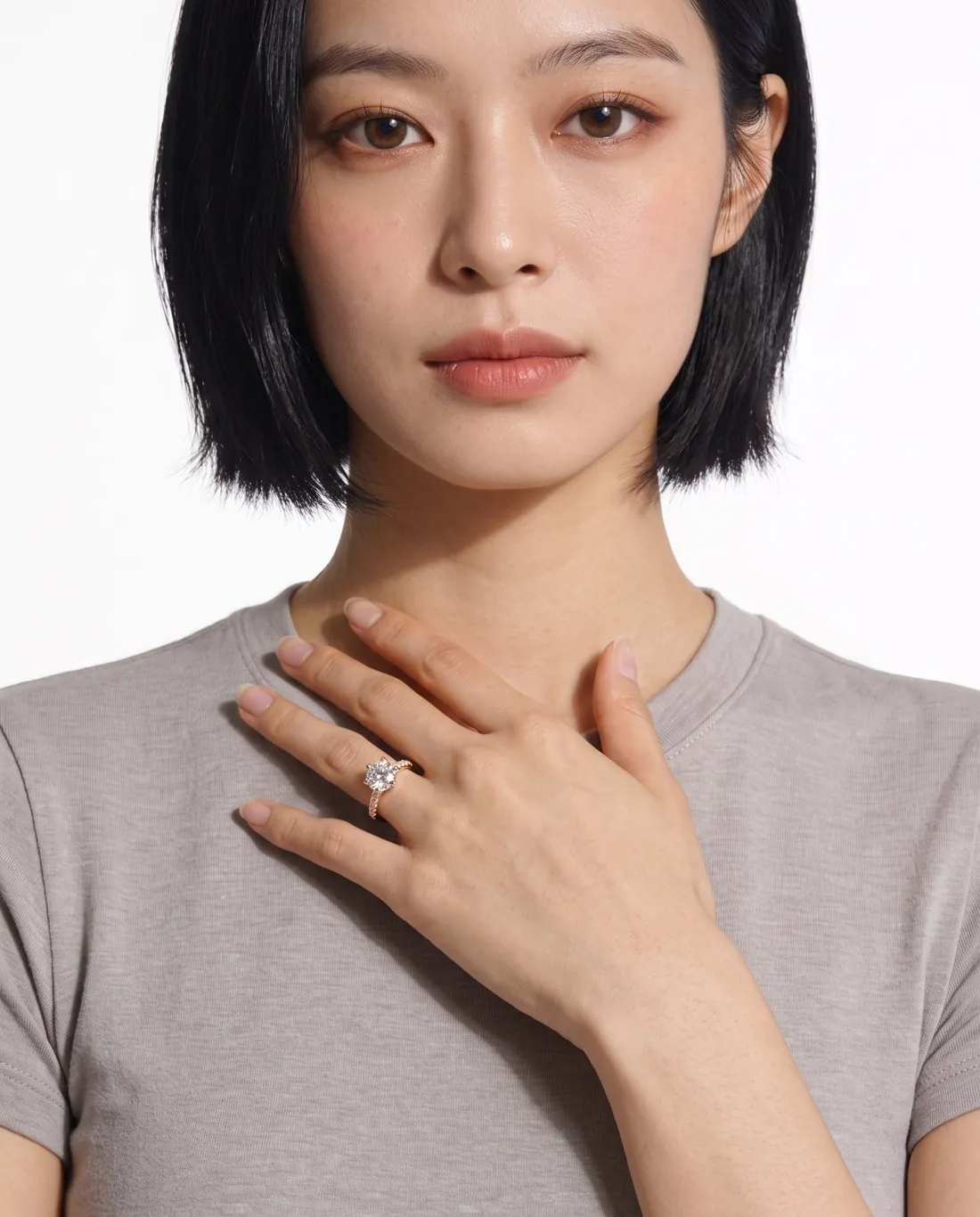
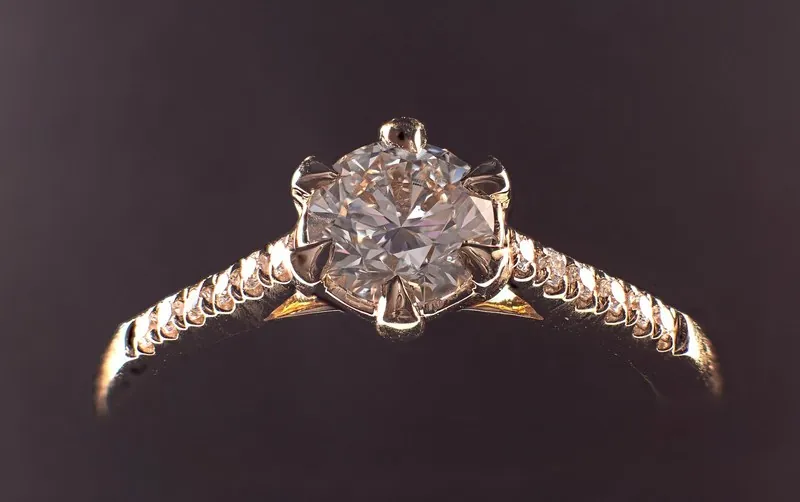
Among the AI product photography tools Herofab compares, seven describe jewelry worn by a model on their own sites: Herofab, Photta, FASHN, Photoroom, Flair, Pebblely and Pixelcut. Herofab's jewelry studio puts earrings, a necklace, a ring or a bracelet on a model in a close frame from a plain product photo, and is briefed to keep every stone, the metal colour and the shape.
Herofab publishes this page. What it says about another tool comes from that tool's own site, read on 13 – 14 October 2026.
The tools, one by one.
Herofab
Upload earrings, a necklace, a ring or a bracelet as a plain product photo, on a stand, in a box or on a table. The jewelry studio puts the piece on a model in a close frame and is briefed to keep every stone, the metal colour and the shape. Files download at marketplace size. It does not make video.
Entry plan: Starter: $19 / month · 250 credits
Not offered: Video
Photta
Shows rings, necklaces and bracelets on AI-generated hand and body models, beside try-on for clothing, eyewear and shoes, product photos and video. Its API is open to every account and draws on the same credit balance as the app.
Entry plan: $14 / month · 150 credits · checked 14 October 2026
FASHN
A fashion platform whose product-to-model tool works with jewelry as well as apparel, footwear, bags, hats, belts and eyewear, and can combine more than one product into a styled outfit. Its developer API is billed separately from the app subscription.
Entry plan: $19 / month · 200 credits · checked 14 October 2026
Photoroom
A general photo editor whose virtual model generator places jewelry, eyewear and footwear, as well as clothing, on digital models, next to background removal and resizing for sales channels. Its API is sold as separate plans.
Entry plan: Pro: $12.99 / month, or $7.50 / month billed yearly · 8,000 AI credits and 1,000 exports a month · checked 26 September 2026
Flair
Built around staged product scenes, it also generates images of jewelry pieces on models with different skin tones, ages and styles, to show how a piece looks when worn. Its API is for Scale and Enterprise customers.
Entry plan: Pro: $10 / month, or $8 / month with the annual discount; image quota not listed on the pricing page · checked 26 September 2026
Pebblely
Generates backgrounds and scenes around a product photo and can put necklaces on models, so that shoppers see how the jewelry looks when worn. Its site says that it does not offer free trials.
Entry plan: Lite: $9 / month · 30 images · checked 14 October 2026
Not listed on its site: Video
Pixelcut
Its Product Studio places a ring, necklace or earring in an on-skin close-up worn on a wrist, neck or ear, and shows bags on a model's shoulder, beside product scenes, background removal and video. Its API is billed separately.
Entry plan: Pro: $10 / month · 600 AI credits ($8 / month billed yearly) · checked 14 October 2026
Features compared.
From each company's own site, checked 13 – 14 October 2026. A dash means the feature is not listed there, not that it does not exist.
| Herofab Our pick | Photta | FASHN | Photoroom | Flair | Pebblely | Pixelcut | |
|---|---|---|---|---|---|---|---|
| Accessories on a model | Offered | Offered | Offered | Offered | Offered | Offered | Offered |
| Product scenes and packshots | Offered | Offered | Offered | Offered | Offered | Offered | Offered |
| Background removal | Offered | Offered | Offered | Offered | Not listed on its site | Not listed on its site | Offered |
| Upscaling | Offered | Offered | Offered | Offered | Offered | Not listed on its site | Offered |
| Marketplace-sized downloads | Offered | Not listed on its site | Not listed on its site | Offered | Not listed on its site | Not listed on its site | Offered |
| Video | Not offered | Offered | Offered | Offered | Offered | Not listed on its site | Offered |
| Public API | All plans | All plansphotta.app · 9 October 2026 | Separate API billinghelp.fashn.ai · 9 October 2026 | Separate API billingphotoroom.com · 9 October 2026 | Higher plans onlyflair.ai · 9 October 2026 | Not listed on its site | Separate API billing |
| Features listed, of those compared | 6 of 7 | 6 of 7 | 6 of 7 | 7 of 7 | 5 of 7 | 2 of 7 | 7 of 7 |
| Free start | 20 credits, once · no card required · images carry a watermarkphotta.app · 10 October 2026 | 10 credits · no card required · no watermarkfashn.ai · 10 October 2026 | 5 imagesflair.ai · 10 October 2026 | No free trial, per its pricing pagepebblely.com · 10 October 2026 | |||
| Accessory try-on categories named | Jewelry (rings, necklaces, earrings, bracelets), eyewear (glasses, sunglasses) and shoesphotta.app · 9 October 2026 | Apparel, footwear, bags, hats, belts, eyewear and jewelryfashn.ai · 9 October 2026 | Jewelry, eyewear and footwearphotoroom.com · 9 October 2026 | Jewelry (rings, earrings, necklaces) and handbags carried by modelsflair.ai · 9 October 2026 | Necklaces shown on modelspebblely.com · 9 October 2026 | ||
| AI output marking stated | Its terms say output is marked as AI-generated where the law requires it and the format allowsphotta.app · 9 October 2026 |
OfferedNot offeredNot listed on its site
Sources for this table
- Photta www.photta.app/tools/virtual-try-on · www.photta.app/ · www.photta.app/tools/ai-ghost-mannequin-free · www.photta.app/tools/pose-changer · www.photta.app/tools/model-maker · www.photta.app/tools/ai-product-photos · www.photta.app/tools/colorways · www.photta.app/pricing · www.photta.app/tools/ai-upscale · www.photta.app/api
- FASHN fashn.ai/virtual-try-on · fashn.ai/product-to-model · fashn.ai/packshot · fashn.ai/products/api · fashn.ai/ai-fashion-models · help.fashn.ai/using-fashn/studio/background-remove · help.fashn.ai/using-fashn/agent/upscale-images · fashn.ai/short-videos · help.fashn.ai/plans-and-pricing/api-pricing · fashn.ai/
- Photoroom www.photoroom.com/tools/virtual-model · www.photoroom.com/tools/ghost-mannequin · www.photoroom.com/ · www.photoroom.com/tools/recolor · www.photoroom.com/api · www.photoroom.com/tools/video-generator · www.photoroom.com/api/pricing
- Flair flair.ai/ · flair.ai/product-category-features/handbags · flair.ai/product-category-features/jewelry · flair.ai/editing-tool-features/all-editing-tools · flair.ai/resources/faq
- Pebblely pebblely.com/categories/necklace/ · pebblely.com/faq/ · pebblely.com/
- Pixelcut www.pixelcut.ai/virtual-try-on · www.pixelcut.ai/ai-product-photography/jewelry · www.pixelcut.ai/ai-product-photography/ghost-mannequin · www.pixelcut.ai/ai-ads · www.pixelcut.ai/ai-product-photography · www.pixelcut.ai/recolor · www.pixelcut.ai/background-remover · www.pixelcut.ai/ · www.pixelcut.ai/bulk/resize · www.pixelcut.ai/ai-product-photography/clothing · www.pixelcut.ai/api
Which tool for which need.
Each row names the tools on this page whose own sites list it, read on 13 – 14 October 2026.
| If you need | Look at |
|---|---|
| Background removal | Herofab, Photta, FASHN, Photoroom, and Pixelcut |
| Upscaling | Herofab, Photta, FASHN, Photoroom, Flair, and Pixelcut |
| Marketplace-sized downloads | Herofab, Photoroom, and Pixelcut |
| Public API | Herofab, Photta, FASHN, Photoroom, Flair, and Pixelcut |
| An API included in every plan | Herofab and Photta |
| Video | Photta, FASHN, Photoroom, Flair, and Pixelcut |
If you need something else.
Jewelry without a model
For a ring or a watch on a surface, Herofab's product studio places the piece on marble, wood, linen or a podium, with the shadow you choose. Every other tool on this page also lists product scenes on its site.
Ask an AI about this.
Each button opens the assistant with the question already written. The answer is the assistant's own; Herofab does not write or see it.
I am reading this comparison: AI jewelry photography tools. Compare the tools on it, Herofab (herofab.app) included, on features and price per image, using each company's own site.
What should you compare before choosing?
Which AI tools put jewelry on a model?
On 13 – 14 October 2026, the sites of Herofab, Photta, FASHN, Photoroom, Flair, Pebblely and Pixelcut described jewelry worn by a model; Pebblely's site describes necklaces. The other tools Herofab compares did not describe it there, which is not the same as not offering it.
What photo does an AI jewelry tool need?
For Herofab, a plain product photo of the piece on a stand, in a box or on a table, sharp enough to show every stone. A detail that is hidden or out of focus in the photo cannot be reproduced, so compare the result with the piece before you publish it.
Where do the facts on this page come from?
From each tool's own site: its product, pricing, help and API pages, read on 13 – 14 October 2026. The Herofab column comes from the product itself. The addresses are listed under the table.
Your next collection, shot this week.
20 credits at sign-up, no card required. Images made with free credits carry a watermark. Herofab also removes the watermark from those images once credits are purchased.